
Write and edit Markdown documents.
Create a document, organize ideas with headings and tables, and keep working with the files you already use.
Explore the Markdown editor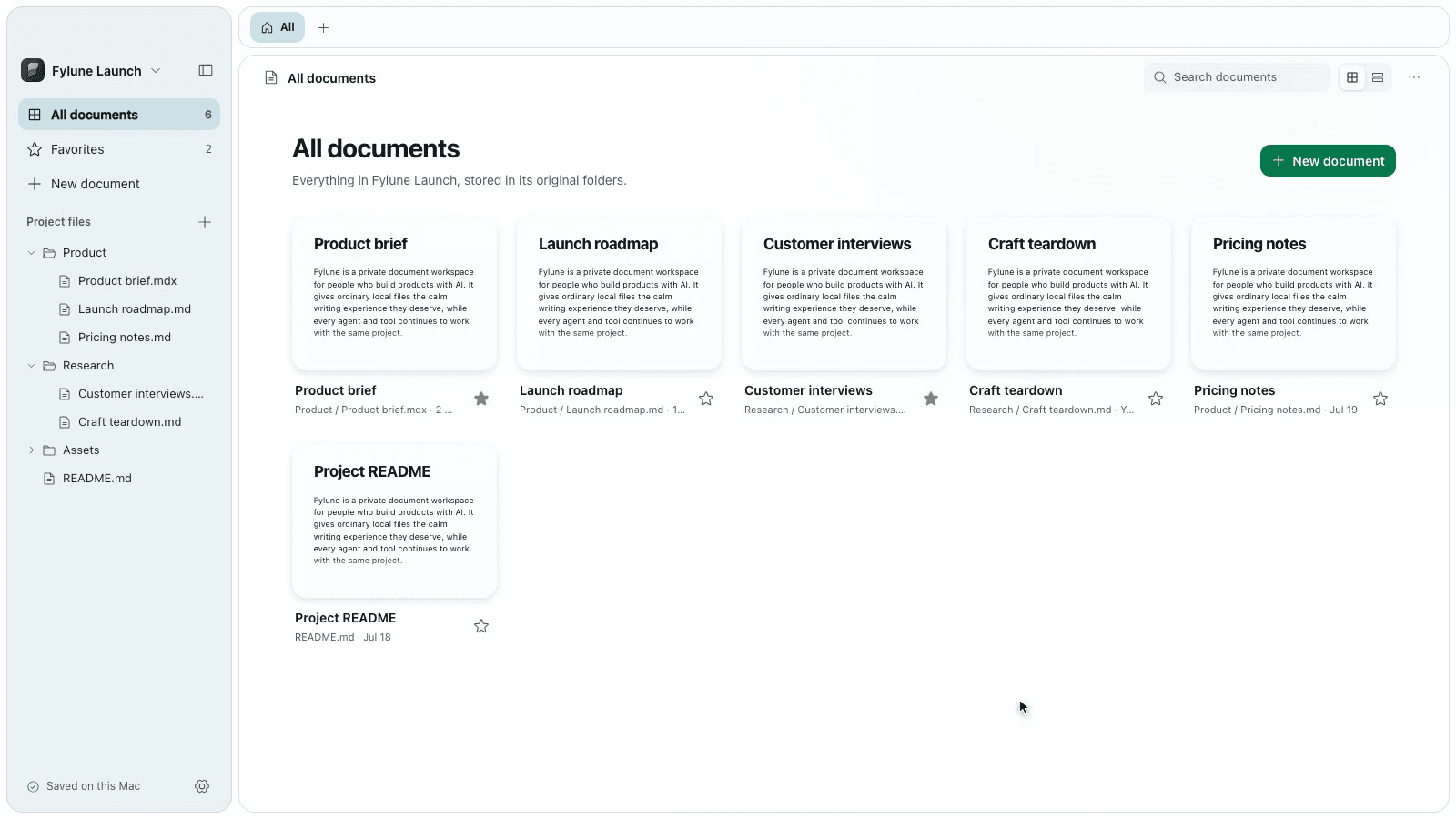
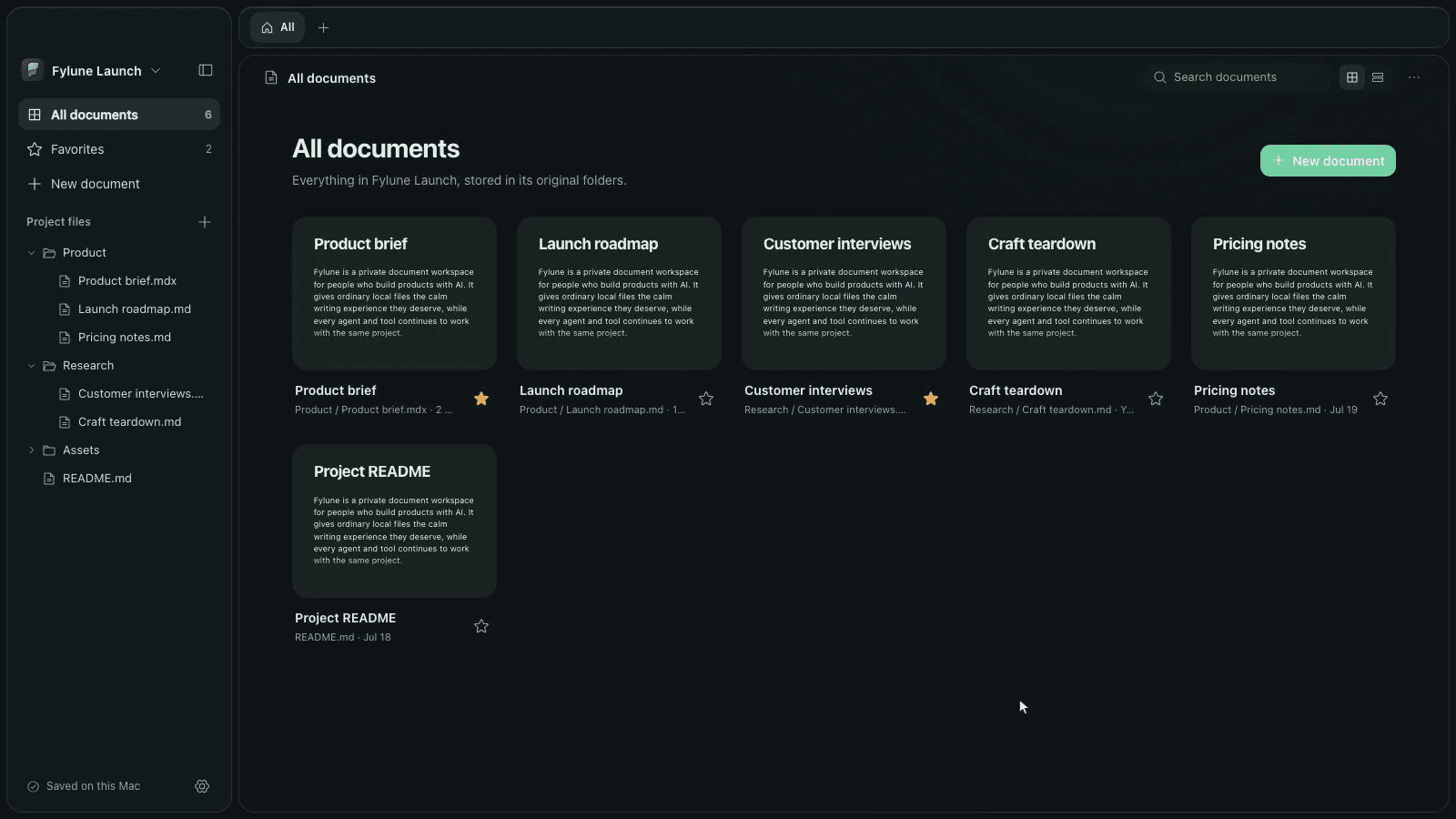
Write documents, edit PDFs, and fill government forms from ready-to-use templates. Start in your browser or download the desktop app.
Start a document beside the files that already explain the project.
Desktop editor · Write, review and organize local files.
Create a document, organize ideas with headings and tables, and keep working with the files you already use.
Explore the Markdown editorOpen a PDF or choose a form template. Fill in the details, review your work, add your own signature, and download or print the result.
Use AI assistance on supported templates, then review every answer.
Open editor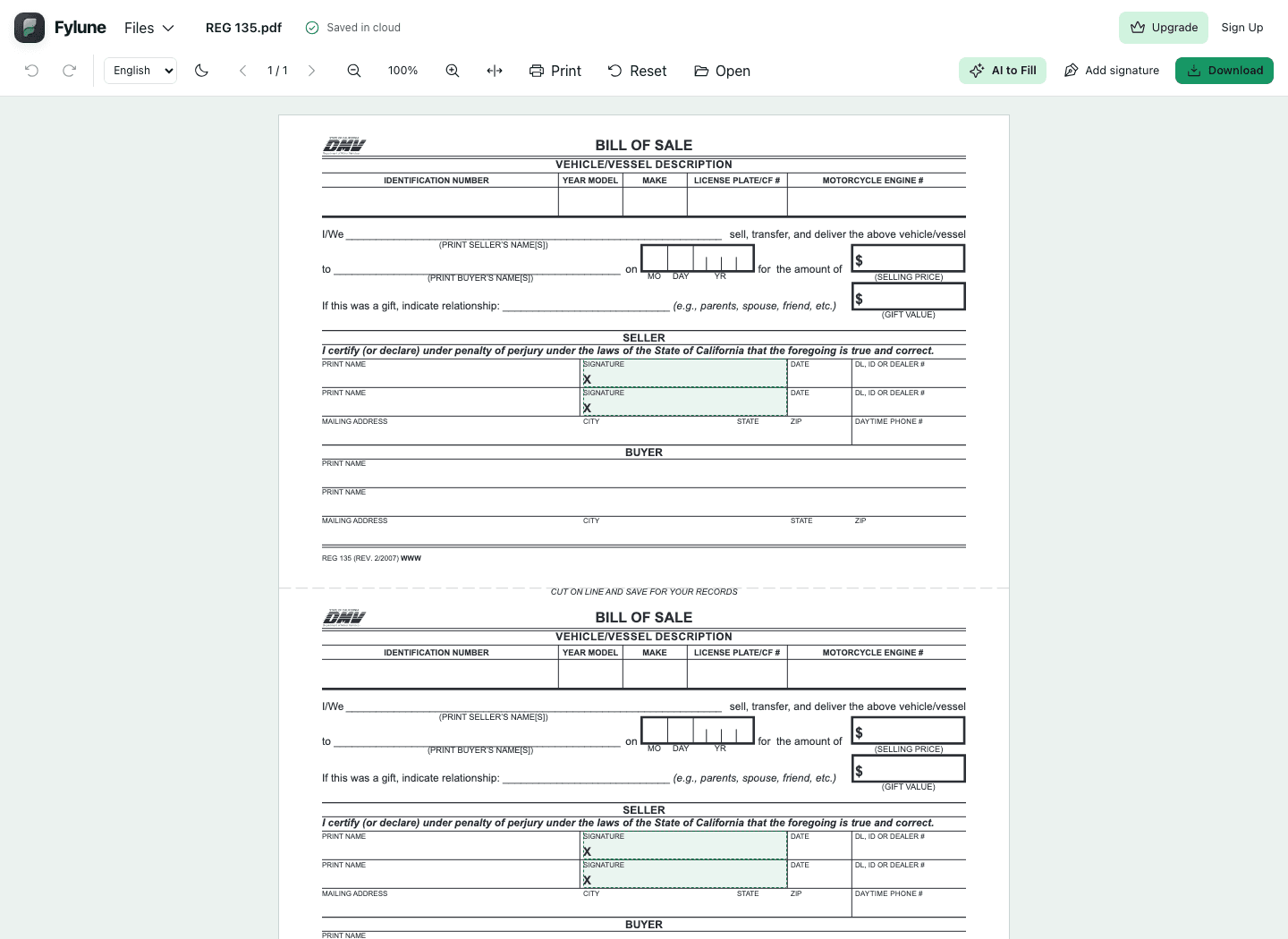
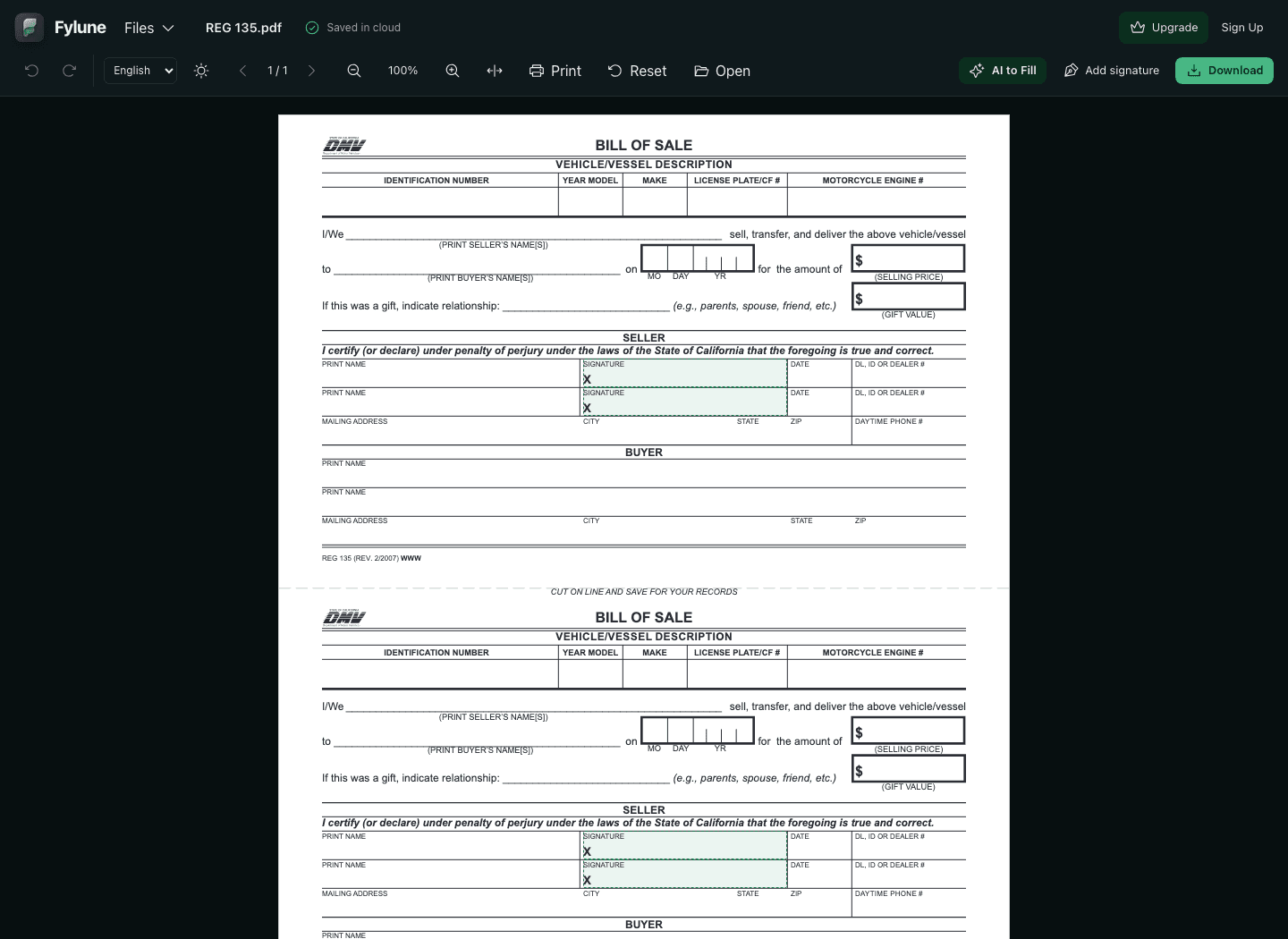
Find a form, fill it in the editor, and download your completed PDF.
Loading templates…
Fylune is an independent editor and is not affiliated with government agencies.
Create a document, open a Markdown or PDF file, or start with a form. No installation needed.
Web documents save automatically to Fylune cloud storage. Start as a guest, then register or sign in to keep account access.
Open editorOpen local documents and project folders. Keep editing local files offline.
Your local files stay where you choose. Desktop cloud sync is optional and must be enabled explicitly.
Write Markdown documents, fill PDF fields, add supported text annotations and your own signature. PDF tools do not reflow the original document layout. Explore the Markdown editor
Yes. Start without registration. Web edits save to a guest cloud account; desktop documents stay in your local folders.
Yes. Choose a File in the editor to open your PDF. Protected or unsupported files show a message explaining what can be opened.
AI can assist on supported templates when enabled. Review every answer and add your own signature.
No. Download or print your completed form, then follow the receiving agency’s submission instructions.
Core editing is free. Free PDF exports include a watermark; clean downloads, Premium and AI credits have separate paid options. View pricing plans
Find a form, fill it in the editor, and download your completed PDF.
18 templates
ADM 399 requests a refund of DMV fees or penalties collected in error, in excess or when not due. Its first two pages explain eligibility and fields; the third page holds the application. Prepare the payment facts, requested amount, reason and supporting evidence.
REG 101 combines California DMV’s Statement to Record Ownership with its Statement of Error or Erasure. Fill the part needed for your title transaction, check owner and lienholder details, then download a copy to review and sign where required.
REG 102 contains two different certifications. Page 1 documents a past period of non-operation (CNO); page 2 declares planned future non-operation (PNO). Each page includes a matching records copy. Select the applicable certification before filling vehicle rows.
REG 135 is California DMV’s vehicle and vessel Bill of Sale. Enter the sale or gift details and the seller and buyer information in the official PDF, then download a copy to review, sign and keep with your transaction records.
Use California DMV REG 156 to request replacement plates, registration stickers, cards or other listed documents. Fill the official two-page PDF, identify what needs replacing, review the supporting-document requirements, and prepare your signed application for DMV.
REG 166 records a lienholder’s release of interest in a California vehicle or vessel after the lien has been fully satisfied and not assigned to another party. It separates the registered owner from the legal owner/lienholder.
REG 17 handles original, replacement, exchange, reassignment, retention or release of California special interest and environmental license plates. The selected task determines which sections to complete. Use the two-page official PDF and its configuration instructions.
REG 195 applies for a California disabled person parking placard, plates or plate reassignment. The PDF has three pages: instructions, applicant information and medical certification. Faye helps with the editable applicant fields; the medical provider sections require separate completion.
REG 256 is California DMV’s Statement of Facts for explaining circumstances that support a vehicle or vessel transaction. Fill the relevant sections of the official two-page PDF, review both pages, then download your copy for signing.
REG 343 is California’s Application for Title or Registration. Its two pages collect vehicle, owner and lienholder details, odometer, acquisition and California-entry dates, cost and applicable out-of-state or military information. Complete both sides for the relevant application.
REG 4008 records the declared operating weight of a California commercial vehicle. GVW covers a vehicle and its load; CGW covers a vehicle combination and its load. Prepare owner details and up to two vehicle declarations in the official PDF.
REG 5103 requests a temporary exemption from California biennial smog requirements for a vehicle temporarily outside the state. It records the vehicle’s actual location, why it is away, registration circumstances and expected return date. DMV determines eligibility.
Fylune is an independent editor and is not affiliated with government agencies.